• Blog
  • Shop
  • Podcast
  • Resources
  • About
  • Archive
  • Contact
  • Cart
  • Sign In My Account
Menu

The Gentleman Stationer

Vintage Living in the Modern World.
  • Blog
  • Shop
  • Podcast
  • Resources
  • About
  • Archive
  • Contact
  • Cart
  • Sign In My Account

Kaweco's take on the "Black German Pen."  

One Week With: The Kaweco Dia2

November 29, 2014

Thanks to the folks at Kaweco for allowing me to take one of their high-end pens, the Dia2, for a test drive.  In summary, this is an excellent pen that deserves to be in your pen case.  It’s understated and classy looking, and sports the same killer steel nib that many love on the Kaweco Sport.  To boot, the nibs are interchangeable, so if you have a Sport that writes well and that you love, you can simply swap the nib out and use it on multiple pens. 

The Kaweco Dia2 in its presentation box. 

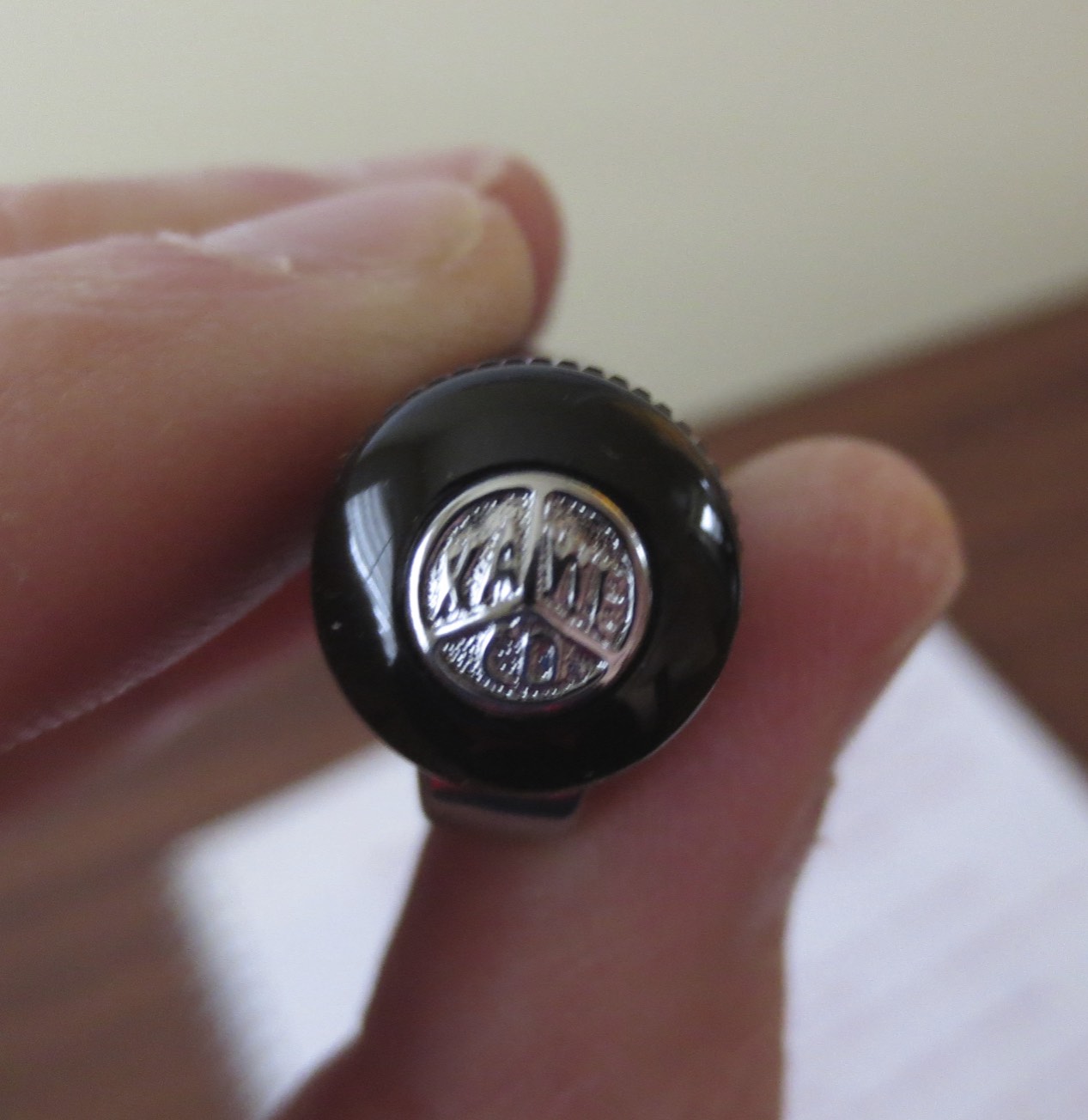
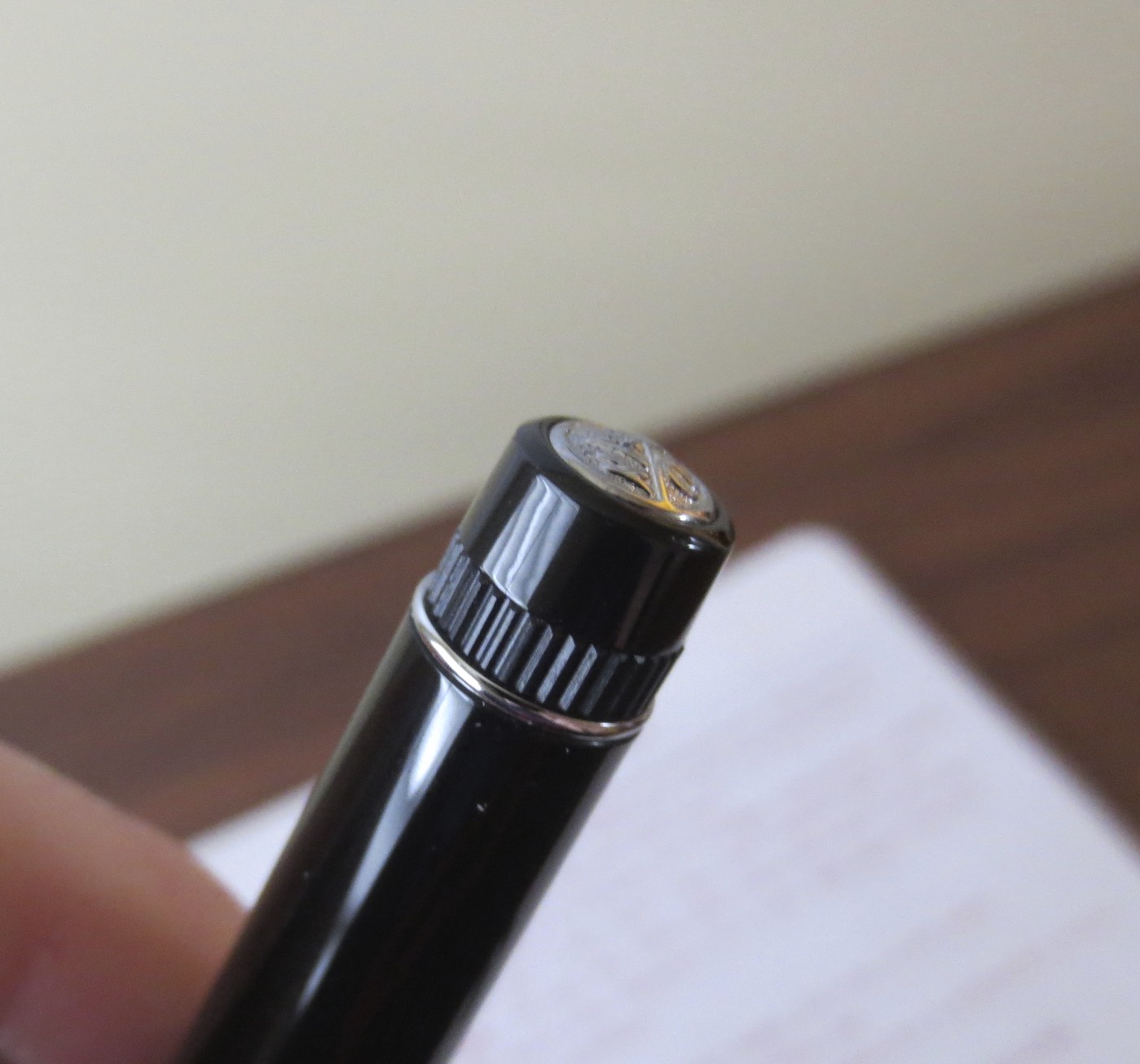
The Dia2 is, like the Sport, a reissue of one of Kaweco’s classic pens, the Dia.  And, like the vintage Sport, the original vintage Dia was a piston filler.  I’ll go ahead and get my one criticism of this pen out of the way:  it’s designed to look like a piston filler but fills only by cartridge/converter.  I know that by foregoing an integrated filling system, Kaweco kept the price of the pen down in the $100 range, which makes it an outstanding bargain considering how good this pen looks and performs, but something about the “imitation” piston knob on the end of the Dia2 looks sorta cheesy.  I know this might not go for most people, but I’d be willing to spend more money on this pen to pay for the piston system.  Also, the Dia2 seems to take a proprietary converter; my standard Schmidt and Waterman converters are too long to fit the Dia2.  Anyway, with that taken care of, here’s what I like about the rest of the pen:  everything else.  

Build Quality

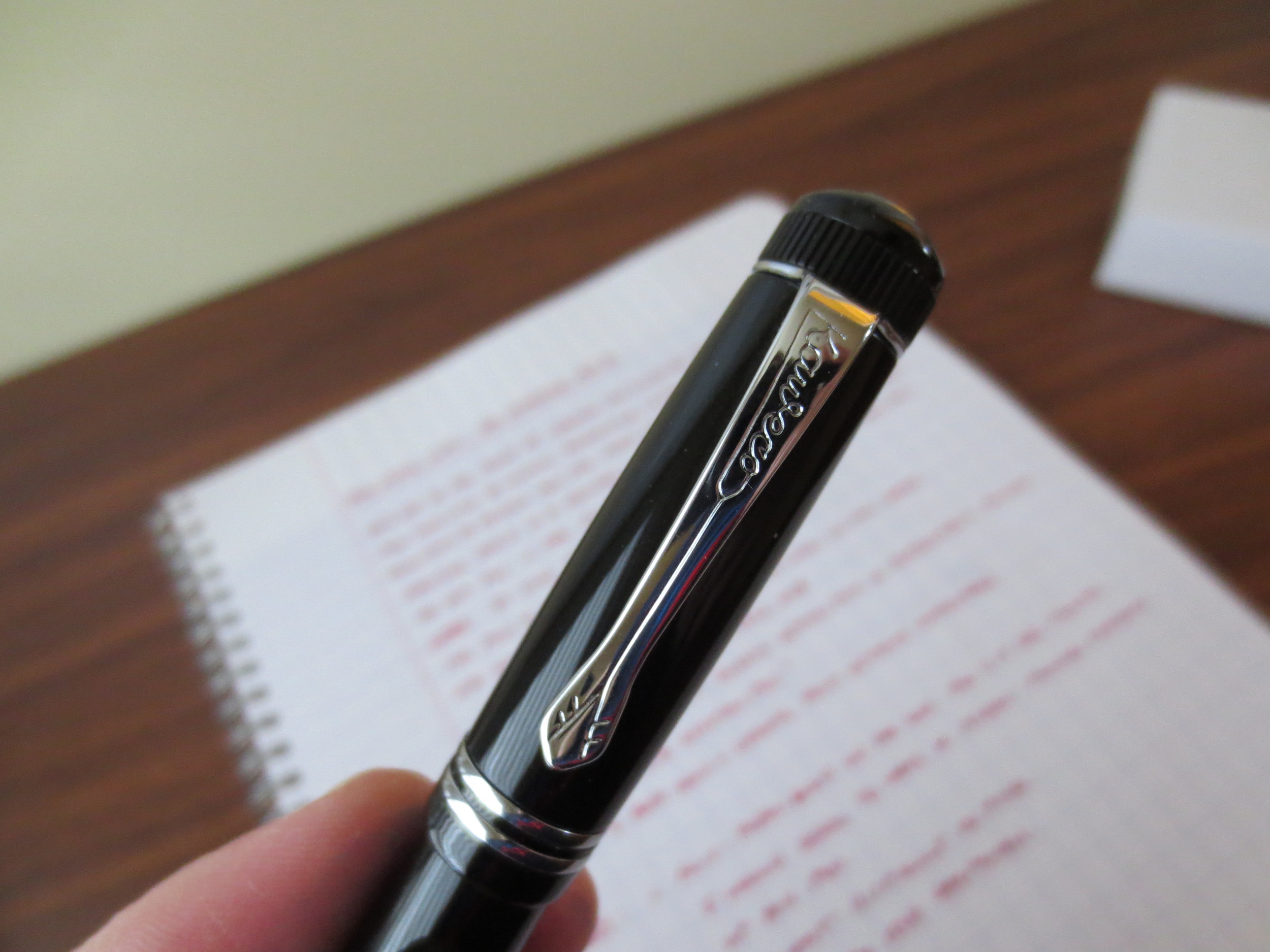
Like most Kaweco pens, the build quality on the Dia2 is excellent.  It’s a black resin pen with chrome trim.  Both the body and trim of the pen are well executed; I couldn’t find any visible manufacturing flaws on the pen I tested.  Also, the resin used in the Dia2 seems to be exceptionally scratch-proof.  Normally, after you post a pen at least once or twice, the barrel will show some micro-scratches.  This pen does not, even after a week or so of regular use.    

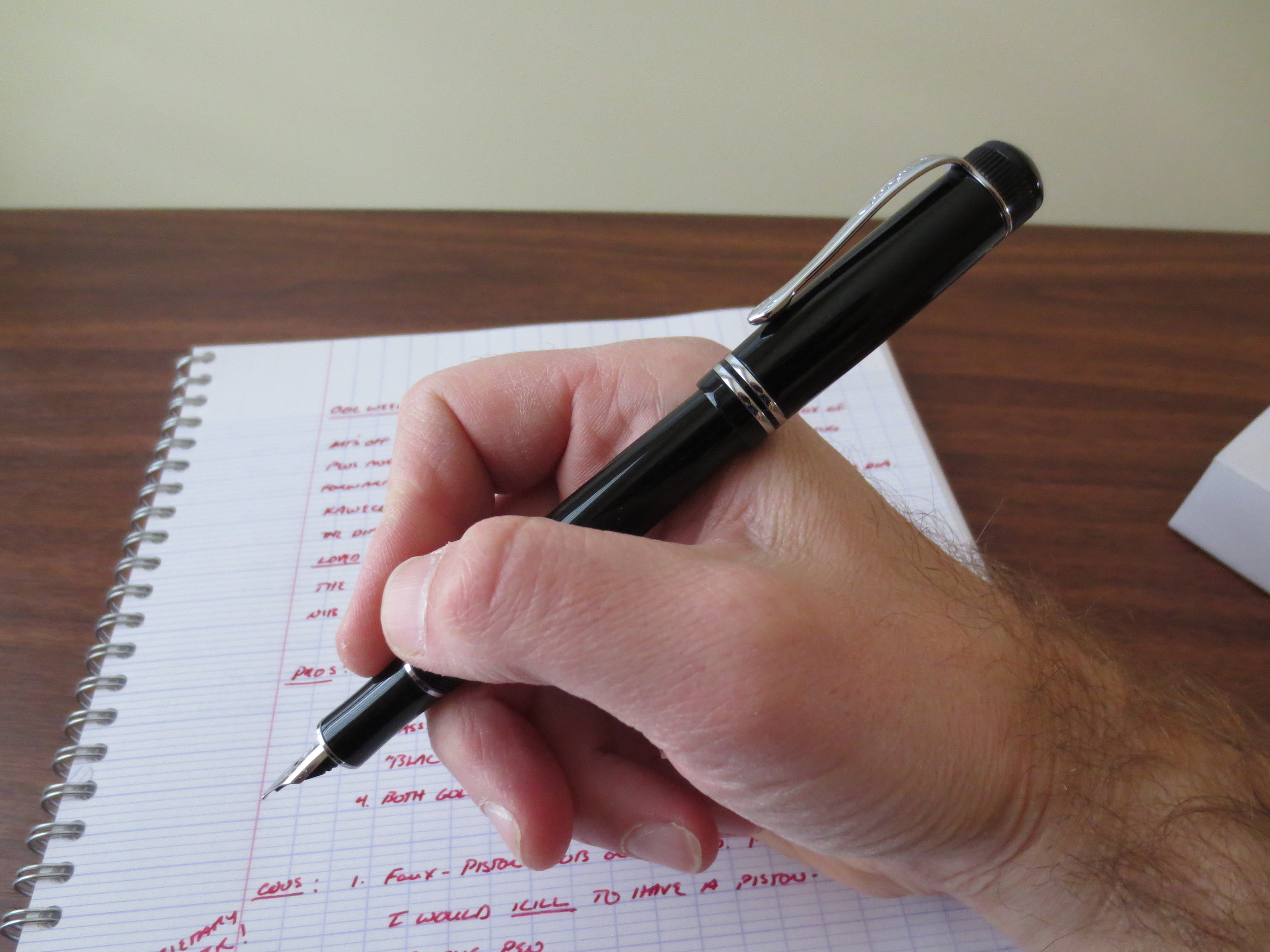
The pen is noticeably lightweight.  I don’t mean this in a negative way: it doesn’t feel flimsy.  Rather, it weighs enough to feel serious but is still light enough to use for marathon writing sessions.  (I’ll concede that this is probably attributable, at least in part, to the lack of a heavy piston-filling system, FWIW, but I suppose they could always go plastic and rubber, like TWSBI.)  The Dia2 also fits my hand very well, posted or unposted, which is rare for me, as I normally always have to use a pen posted to obtain the desired balance while writing.  

The Nib

Kaweco Dia2 "sporting" the Sport nib.  (sorry, couldn't resist)

I’ve reviewed the nibs from the Kaweco Sport and Kaweco’s other pens here, so you all know I’m a fan.  Kaweco’s nibs (at least in the fine and medium sizes) are smooth, high quality stainless steel nibs.  I’m looking forward to testing out their gold nibs, hopefully sometime soon.  My main criticism of Kaweco’s other full-size pens, however, has been that by using the Sport nib, these pens appear awkward because the nib looks too small.  Not so with the Dia2—the nib size works, for whatever reason that may be.  It seems to be an intangible thing.  Perhaps it’s the way that the barrel is slightly tapered on both ends?

Handwritten ink review in Kaweco Ruby Red

Takeaways

I used this pen for a solid week without a hiccup.  Since we’re now in the holiday season, I’ll go ahead and recommend this pen as a great gift idea for someone wanting/needing a professional-looking, quality writing instrument that doesn’t break the bank.  I personally like the “black German pen” aesthetic, especially the black on chrome.  (Gold-plated trim is also available.)  It’s nice to be able to buy a pen that looks this good and writes this well for just over $100, as opposed to shelling out $400 for other companies' "entry level" pens cast from what is probably the same "precious resin."  While I personally wish that the pen came with a piston-filler, I can live with refilling cartridges or purchasing a Kaweco converter.  

Full disclosure:  Kaweco provided me with this pen to review, free of charge.  This didn’t influence my opinion on the pen’s quality or performance.     

IMG_0997.JPG
IMG_1000.jpg
IMG_1001.jpg
IMG_1003.JPG
IMG_1005.JPG
IMG_1006.jpg


In Pens Tags Kaweco Dia2, Kaweco
1 Comment

Ink Review: Platinum Blue-Black

November 26, 2014

Platinum Blue-Black is an undersung workhorse of an ink, and one I use a lot.  Some feel that this ink isn't really a true blue-black, since it has a strong blue undertone to it, but it's nice-looking nonetheless.  In the U.S., Platinum black and blue-black inks are best known for being the pack-in inks for Nakaya pens; each pen sold comes with 10 high-capacity cartridges .  As I've mentioned before, when I first purchased my Nakaya, the blue-black cartridges were the only ink I used in the pen for quite some time.  

This ink contains iron gall, which can be corrosive to metal parts in pens if the ink is left in there for long periods of time (i.e., months), so take care to use your pens and/or flush regularly.  Iron gall, however, is what gives this ink its key properties, from its nice color and shading (pictured) to its performance on (most) cheap office papers without bleedthrough or feathering.   

Handwritten review with Aurora Ipsilon Quadra fountain pen, stub nib. 

Thanks to Jetpens for providing me with this bottle for review.  Platinum Blue-Black is available in 30ml and 60ml bottles, although it appears that Jetpens only stocks the 60ml bottle currently.  (link here) 

DISCLAIMER:  I received this bottle free of charge for review purposes.  

In Ink Reviews Tags Platinum Blue Black, Platinum Ink, Ink Review
Comment

My favorite Field Notes Colors edition:  Drink Local, Ales.  I've stocked up and have a healthy supply of both Ales and Lagers. 

My Favorite Field Notes Colors: Drink Local Ales

November 24, 2014

For this rainy fall Monday I'll give you all a few words on last Fall's Field Notes Colors Edition:  Drink Local.  It doesn't seem right for me to review a Field Notes edition until I've used at least a three-pack of them.  I'm close to being finished with the third Ales of my first pack, so that's close enough.  The verdict:  These are some quality notebooks, and I'm glad I stocked up and have what, for me, is probably several years' supply.  I fully intend to use all of these notebooks (and the coasters).  

Gratuitous S.A.B.L.E. shot.  This is just part of my stash. 

Hints of stuff to come on the blog. 

The paper in this edition is very nice.  Nothing spectacular, in the sense that you can use a fountain pen on it without bleedthrough/feathering, but I'm enjoying the yellow/orange graph ruling and the slight texture that makes writing with a pencil on this paper satisfying.  Gel pens work fine, but I prefer pencils in this notebook.  

And finally, a shot of what might be my absolute favorite aspect of this edition:  the durable covers.  They wear very well, and don't tear easily.  The spines look nice when they're a little tattered.  I'm pleased to add these to my shelf of "lived in" notebooks. 

Drink Local was a pretty large edition, and you can still find them out there in the wild. Gary at Notegeist sells them for slightly above the original market price, at $16 per sealed three pack.

In Notebook Review Tags Pocket Notebook, Field Notes
Comment

I Discover Mechanical Keyboards (or, I hate you, Massdrop).

November 21, 2014

I’m now struggling with a new, albeit nascent, addiction, courtesy of Massdrop.  For the past year, thanks to people such as Harry Marks and Patrick Rhone who have written lovingly of their vintage manual typewriters, I’ve been wanting one.  And I can say that I’ve successfully resisted.  In full disclosure:  this is not so much a testament to my own willpower as it is to my fear of my wife, who made clear in no uncertain terms that a “typewriter collection” was not in our future.  So needless to say, I’ve been hunting around for the next best thing. 

Like most people today, and especially office professionals, I do the majority of my daily work on a computer.  While I enjoy writing things by hand, the vast majority of my work (for both the day job and the side hustle) needs to be typed in order for the end product to be legible and usable to someone other than me.  The problem is that I generally hate using computers to write, especially the (five-year old) Dells we use at the office.  There’s no character to typing on modern keyboards, no satisfying click/clack feedback that you used to get from a typewriter.  (You purists out there—put aside for the moment that nothing compares "character-wise" to the sensation of putting nib or pencil to paper.  I agree with you.  But you must admit, it’s not always possible, much less practical.)  I’m old enough to have learned to type on my Dad’s old IBM Selectric typewriter (later, the PC Jr.) and Apple IIs at school, and for those of you who have not had that typing experience, it was light-years from what we have today.  Much louder, of course, but that’s part of the fun.  

Needless to say, I was intrigued when I was surfing Massdrop last week and came across an entire new product category that I had been completely unaware of.  Mechanical Keyboards (link here).  So what’s a mechanical keyboard?  I’ve done some intensive research (read: wasted a lot of time on the internet and spent a lot of money) over the past two weeks and feel that I have enough of a rudimentary understanding to write this review and explain, in lay person terms, the difference between a quality mechanical keyboard and the $15.99 piece of crap that in all likelihood is sitting on your office desk or is attached to your work-issued windows laptop.  **DISCLAIMER:  I now own two of these things.  I first purchased one (a Corsair K70) at Best Buy on a lark so that I could try it and easily return it if the experience was not everything I wanted.  Two days later, I had purchased another so I could have one at home and one at work.  You’ve been warned.**

Your typical keyboard these days is what is called a “membrane keyboard.”  With my limited technical knowledge, I can best explain it as follows:  the plastic keys, when depressed, put pressure on a “membrane”—essentially, a rubber mat overlaid with electrical circuits—which relays a signal to the computer that registers the keystroke.  Because membrane keyboards have few moving parts, and the keys don’t have to travel very far to “actuate” (I.e., register a keystroke) they are very light, very quiet, and, most significantly, very cheap to manufacture.  On the other hand, they are not very accurate, and frequently lead to common typos such as a keypress not being registered, or a key registering a double press. (Leading to typos such as “OMG I hte this keyboardd.”)     

Membrane keyboards offer a very different experience from the keyboards that I used growing up, when I learned to type in middle school.  Those keyboards were loud, as in, nearly as loud as typewriter keyboards.  At school in the late 1980s and early 1990s, we worked on Macs featuring the old Apple Extended and Apple Extended II keyboards.  At home (before my parents caved and bought us a Mac), we had an IBM PC Jr. with the full-size Model M keyboard.  Perhaps some of it is simply nostalgia for the time when having a computer at all was a novelty, but I just remember that those keyboards (and those computers in general) were much more fun to use.  Today’s computers, which all have the low-profile, cheap plastic chiclet keyboard that weights 3 oz and feels like you could break it over your knee (or maybe even with your bare hands), just aren’t.  

My Corsair K70 mechanical keyboard, on my desk at work.  The keyboard is much heavier than the Logitech Wave it replaced, and doesn't slide all over the place.  The wrist-rest is well-constructed and fits my hands/wrists perfectly. 

Enter the mechanical keyboard.  The Apple Extended and IBM Model M keyboards were both what would be termed, in today’s lingo, “mechanical,” which means that each individual key features a three-part mechanical switch containing a keycap, a stem, and a base.  When the keycap is depressed, it pushes the “stem” down into the “base” of the key, which registers the keystroke (using technology I don’t understand won't try to explain here) and sends a signal to the computer.  The result is a more tactile sensation than that offered by a membrane keyboard.  When typing on a mechanical keyboard, you can tell that the key has been pressed.  Some mechanical keyboards will “click” when the key actuates.  Clicky keyboards are great for typing, it saves the typist from having to press the key all the way into the base of the keyboard (called “bottoming out”), thereby placing less stress on the typists hands and wrists, and increasing overall typing speed.  It sounds crazy, but I swear it works.  And it’s about as close to the analog typewriter experience as you’re going to get, while still having the convenience of having your work saved on the computer.    

So how do you know what mechanical keyboard is right for you?  It depends on what you are going to use it for.  Most mechanical keyboards that you will find in brick-and-mortar stores like Best Buy are marketed towards gamers, because PC gamers value the greater precision that a mechanical keyboard offers.  Gaming keyboards generally feature non-clicky switches, to reduce noise when playing online.  Non-clicky, less tactile switches include Cherry MX Red and Cherry MX Black switches.  (Cherry is a keyboard manufacturer that has been around since the 1960s, billing themselves as the oldest existing keyboard company.  Their components are very highly regarded.  Most reviewers advise that you can't really go wrong with Cherry or Alps branded switches.) 

My Cherry MX Blue mechanical keyboard with switch exposed.  The keyboard with the Blues otherwise looks identical to the keyboard with the Reds.  

If you type a lot, like I do, and are actively searching for a more tactile and clicky (even, dare I say it, loud) experience, go for the Cherry MX Blue switches.  Fans of the Apple Extended II Keyboard, which many regard as a classic, should look at a company called Matias, which has released an updated version of that keyboard called the Tactile Pro which features Alps branded switches, and generally gets good reviews.  Those nostalgic for IBM can purchase a modern version of the Model M keyboard from Unicomp.  Obviously, I haven’t used all of these different brands—my notes here are based on brief internet research—but I can give you my take on the two keyboards I have.  Note:  Some keyboards are set up with the Mac layout, others with Windows.  My understanding is that since most of these are USB keyboards, they will work on either.  The Corsair works fine on Mac, although you can't use their proprietary software to program the keyboard and will have to go through the OSX utilities.   

The Corsair K70 features a brushed aluminum chassis and high-quality black keycaps.  The keyboard also features an LED backlight (in red, my favorite color), although there is a higher-end RGB backlight version that is entirely customizable and capable of setting a different color backlight for each key.  (As you might imagine, it's more expensive.)

As I mentioned earlier, I first purchased a Corsair K70 at Best Buy.  The Corsair is a relatively low-profile (for a mechanical keyboard) made out of black brushed aluminum.  It’s modern and sleek, and has red LED backlights for working in low-light situations.  The particular model I purchased is a gaming keyboard, and features Cherry MX Red Switches.  While it has nice, springy keys and a decent amount of tactile feedback, it’s still relatively quiet and is appropriate for work.  I keep this one at the office, where our hallways echo terribly.  Liking this keyboard a lot, but still chasing that “typewriter-like feel,” I purchased a second Corsair K70 with Cherry MX Blue switches.  This one is by far my favorite, and I keep it in my home office.              

In short, I love both my mechanical keyboards.  This past week, I’ve enjoyed working on a computer again, which has made me more productive.  I don’t dread transcribing my handwritten notes or work product as much as I used to.  My typing is definitely faster and more accurate.  

That’s not to say that mechanical keyboards are without drawbacks, or are for everyone.  For one thing, they can be very loud.  My Corsair with the Cherry MX Blue switches is easily as loud as some typewriters.  It wouldn’t be a good choice for someone working in a shared space, or even an office with a bad hall echo.  Your co-workers might hate you.  Also, mechanical keyboards are more expensive than membrane keyboards.  Be prepared to spend anywhere from $100-150 for a decent quality mechanical keyboard, although some good deals can be had on Massdrop from time to time.  Once you spend this money, though, they keyboard should last you a long time.  While keys on a a membrane keyboard lasts for perhaps 5 million actuations, quality mechanical switches can last for anywhere from 20-50 million actuations, depending on the type of switch. 

If you’re interested in trying out a mechanical keyboard (or, like me, are interested in how they sound) spend some time on Youtube.  There are plenty of clips offering samples of the various keyboards and types of switches.  In terms of buying mechanical keyboards, B&M stores like Best Buy might carry a few models of gaming keyboards, but unless you live in a larger metropolitan area with lots of specialized computer stores you will probably have to go online.  One great website that has a huge selection is MechanicalKeyboards.com.  If you are a registered Massdrop user, you can also find some good deals on what appear to be more boutique brands.  I ended up purchasing from Amazon to take advantage of my Prime shipping on the Corsair, which was a heavy purchase. If you're considering going mechanical, and purchasing one of the products reviewed, I'd appreciate you using one of my links to help support the site.  This new addiction looks to be expensive.      

In Mechanical Keyboards Tags Corsair K70, Mechanical Keyboards
2 Comments

The TUL .5mm needle point gel pen is a long, slender pen that is fairly light.  The build quality is average for a stock "office supply cabinet" writing implement. 

Gel Pen Review: TUL Needle Point .5mm

November 19, 2014

The TUL line of pens is proprietary to Office Depot, a store I don’t visit often.  I was in picking up a printer ink refill several months ago and ran across a four pack of these needle point pens, which intrigued me.  As far as gel pens are concerned, I’m a big fan of needle point, as opposed to conical tips.  To me they are more precise, and leave cleaner lines.  I prefer the Pilot Hi-Tec-C to the Uniball Signo DX, and also enjoy pens like the Pentel Energel in needle point form.  This TUL pen is no different, and ended up being quite a pleasant surprise.  The pen leaves very sharp lines, and I’m really enjoying the dark blue ink.  The body is nothing spectacular, but is functional.  The nock rattles and the clip does not feel very substantial, but then again, these are intended to compete with office supply-cabinet pens like the Pilot G-2 and the Zebra Sarasa.  Viewed from that perspective, the TUL line compares very favorably to the Pentel Energel.  While the refill appears to be close to the same size as the Pilot G-2 refill, it’s ever-so-slightly longer, and unfortunately doesn’t fit in my Tactile Turn Mover or my G-2 Karas Customs Bolt.  Oh well.  It’s a nice refill that would be fun to use in a more substantial pen body; I’ll have to explore other Kickstarter options to find this pen a new home.

Close-up shot of the TUL Needle Point. 

Very dark blue ink that leaves a very clean line.  The ink is almost a blue-black, which I like. 

I did not try the TUL ballpoint, but I did buy a pack of the marker pens in black, blue, and red.  The tip size is a little broad for my taste, but I’m nevertheless enjoying those.  The store close to my house stocked the ballpoint only in the broader tip sizes, which eliminated it as an option for my writing style, and I've not heard good things about those pens anyway.  

You can purchase this pen at Amazon, if you don’t have an Office Depot near you or are a Prime customer who wants to take advantage of the “free” expedited shipping (which sometimes makes sense if, like me, you place dozens of orders annually for pens and stationery).  I’ve included some links to the blue and the black TUL pens, and tried to find the overall best deals in terms of price/Prime shipping availabiity.  No guarantees that there aren't better deals out there, so you may want to hunt a bit.  I will say that this pen appears to be a better buy when purchased as a dozen as opposed to by the four-pack, and the .5mm tip size is a little pricier than the broader width.     

In Pens Tags TUL, Gel Pens
Comment
← Newer Posts Older Posts →
Store Hours and Location
Visit the T.G.S. Curated SHOP
Updated "Best Pens" Guide
On the Paper Trail Podcast
TGS_25 Roterfaden New Stock Available
Hierarchies of Fountain Pen Friendly Paper

Join Our Patreon!
Subscribe to the TGS E-mail List

Featured Posts

Featured
Pilot-Custom-Series-Pens-overview.jpg
Mar 14, 2026
The Pilot "Custom" Series: An Overview of Some of My Favorite Fountain Pens
Mar 14, 2026
Mar 14, 2026
Pentel-Sign-Pen-Cover.JPG
Feb 28, 2026
Pen Review: The Pentel Sign Pen (Craft Design Technology Version)
Feb 28, 2026
Feb 28, 2026
Cover On the Paper Trail Intro Clip.jpeg
Dec 3, 2025
Introducing "On the Paper Trail," a New Podcast/Video Collaboration with Lisa Vanness of Vanness Pens!
Dec 3, 2025
Dec 3, 2025
The Gentleman Stationer RSS

View Cart

© Digital Divide Media, LLC, 2014-present.

All content is the exclusive property of Digital Divide Media, LLC, d/b/a The Gentleman Stationer, including “The Gentleman Stationer” website and trademark, and should not be reproduced without express written permission.  All rights reserved.

All content containing paid advertising, affiliate links, or sponsored content will be plainly disclosed by a disclaimer when/if featured.

Contact Information

Store Shipping Policy and Return Policy

Privacy Policy

Cookie Policy

Terms and Conditions

Powered by Squarespace